1. Organize the documents.
Use the color-coded sections to place identity, home, insurance, medical, prescription, financial, auto, pet, and emergency-contact information into clear locations.
LifeVault Go is designed to help a household gather the documents and information needed to respond, recover, relocate, file claims, continue care, and contact the right people when normal life suddenly stops.
The goal is not to create a perfect archive. The goal is to make essential information easier to find when time, stress, or limited communication makes searching harder.
Use the color-coded sections to place identity, home, insurance, medical, prescription, financial, auto, pet, and emergency-contact information into clear locations.
Fill in emergency contact, medical, prescription, caregiver, pet, vehicle, insurance, and document-location cards with current information.
Place LifeVault Go where the household can quickly find it, such as a closet, safe room, emergency shelf, vehicle kit, office, or caregiver handoff location.
The labels are meant to be obvious to a family member, caregiver, or responder without needing a long explanation.
Core proof documents, property records, policy numbers, claims contacts, household inventory, and emergency home instructions.
Medical history, physicians, allergies, prescriptions, pharmacy details, refill notes, care preferences, and healthcare documents.
Institution contacts, account references, vehicle details, pet care information, emergency caregivers, and key contact lists.
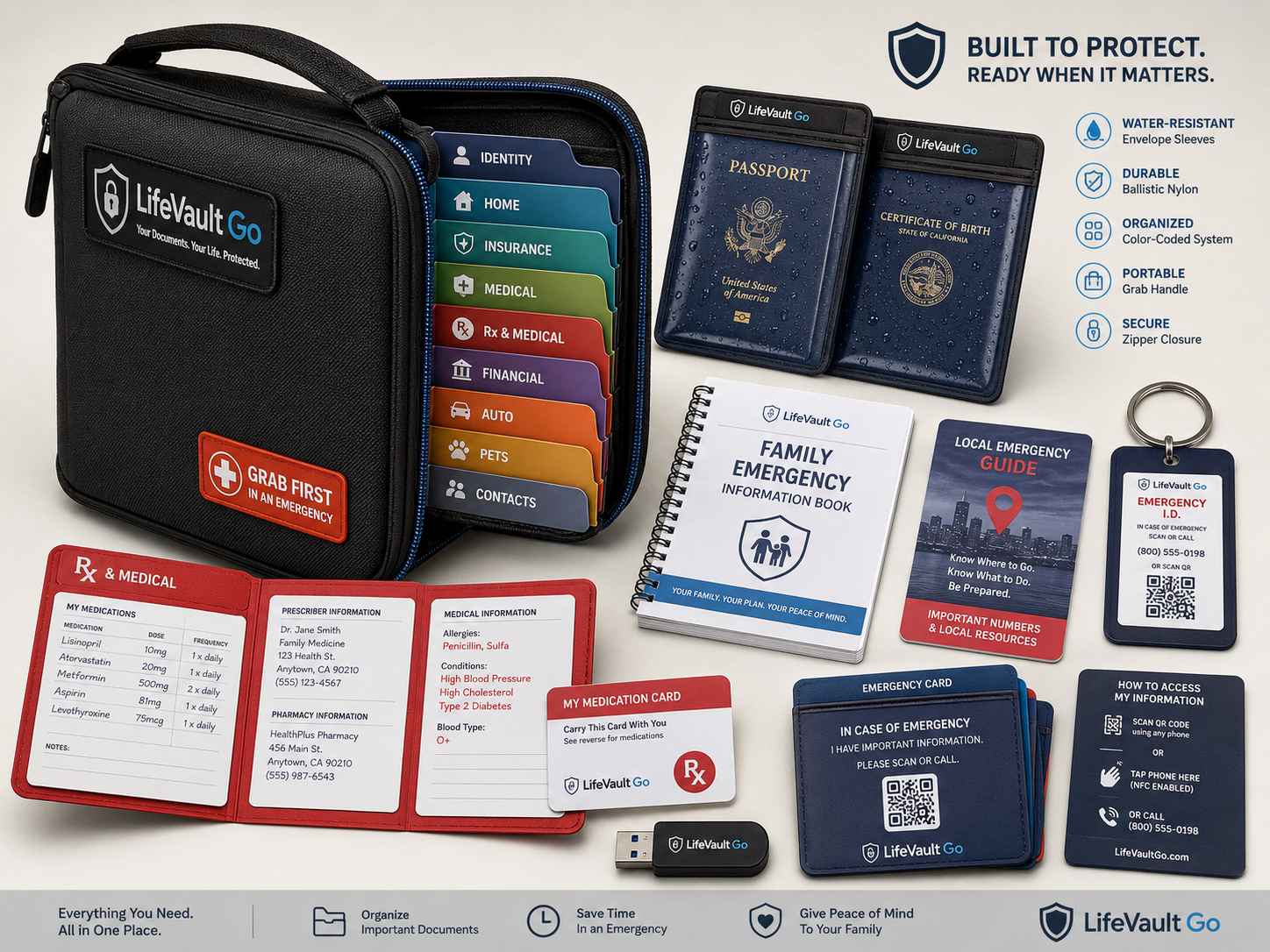
LifeVault Go should live somewhere easy for the household to identify quickly. Families may choose a closet, emergency supply shelf, safe room, home office, vehicle, or caregiver location depending on their own needs.
Do not store sensitive information carelessly. Users should protect private documents and avoid exposing passwords or complete account-access credentials unnecessarily.
Request information about launch timing, product updates, and organizational orders.